
Senpi is everywhere now: introducing the AI Quant Companion
Your Senpi AI Quant agent in Chrome's side panel on 28 trading, chart, wallet and social sites: a scored read, a chat, and you approve every action.
Two weeks ago we launched Senpi Connectors: your own Senpi AI Quant agent inside ChatGPT, Claude, Gemini, Grok and Cursor. Same agent, same account, same approvals, reachable from the AI app you already live in.
Today we are taking the other half of the trip. The AI Quant Companion brings that same agent to every place you already trade, research and explore wallets. It is a Chrome extension. It opens as a side panel next to whatever you are looking at, and it works on 28 sites from day one.
Install the free Senpi extension from the Chrome Web Store.
Everywhere you trade: Hyperliquid, Binance, Bybit, OKX, Coinbase, Bitget, Lighter, Variational, Aster, Pacifica, Jupiter, Phantom, Liquid, Legend, Markets.xyz, Based, Tread.fi and Axiom.
Everywhere you do research: TradingView, CoinGecko, CoinMarketCap, DexScreener, CoinGlass, and X.
Everywhere you explore wallets: Hypurrscan, Flowscan, Hyperdash and HyperTracker.
Why we built it this way
Every trader I know has the same tab problem. The chart is in one place. The positioning data is in three others. The wallet you are curious about is in a fourth. The AI you would like to ask is in a fifth, and by the time you have pasted everything into it, the move is over.
I do not think the answer is one more destination. The answer is that the intelligence should come to the page you are already on. You should not have to go to it.
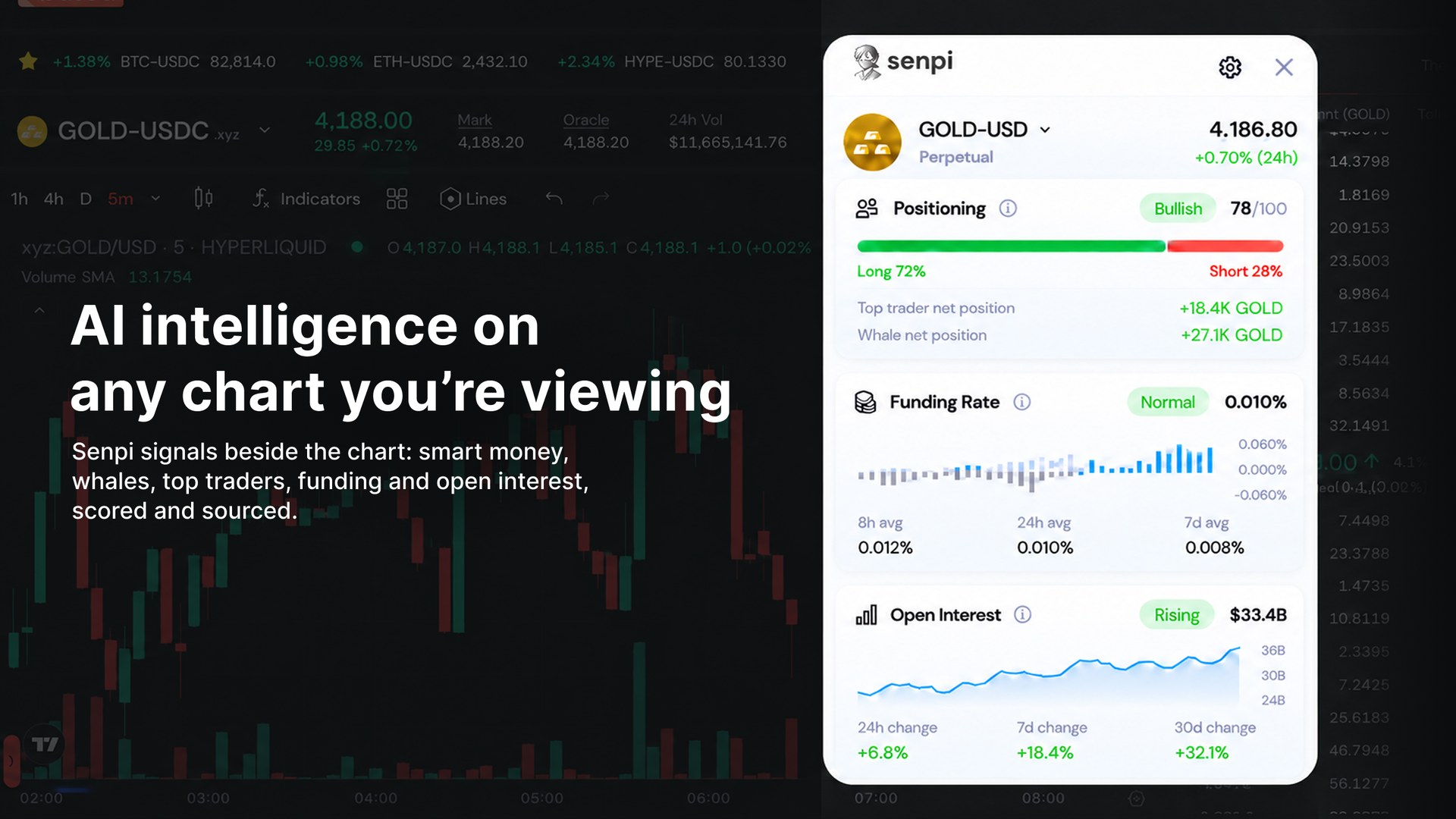
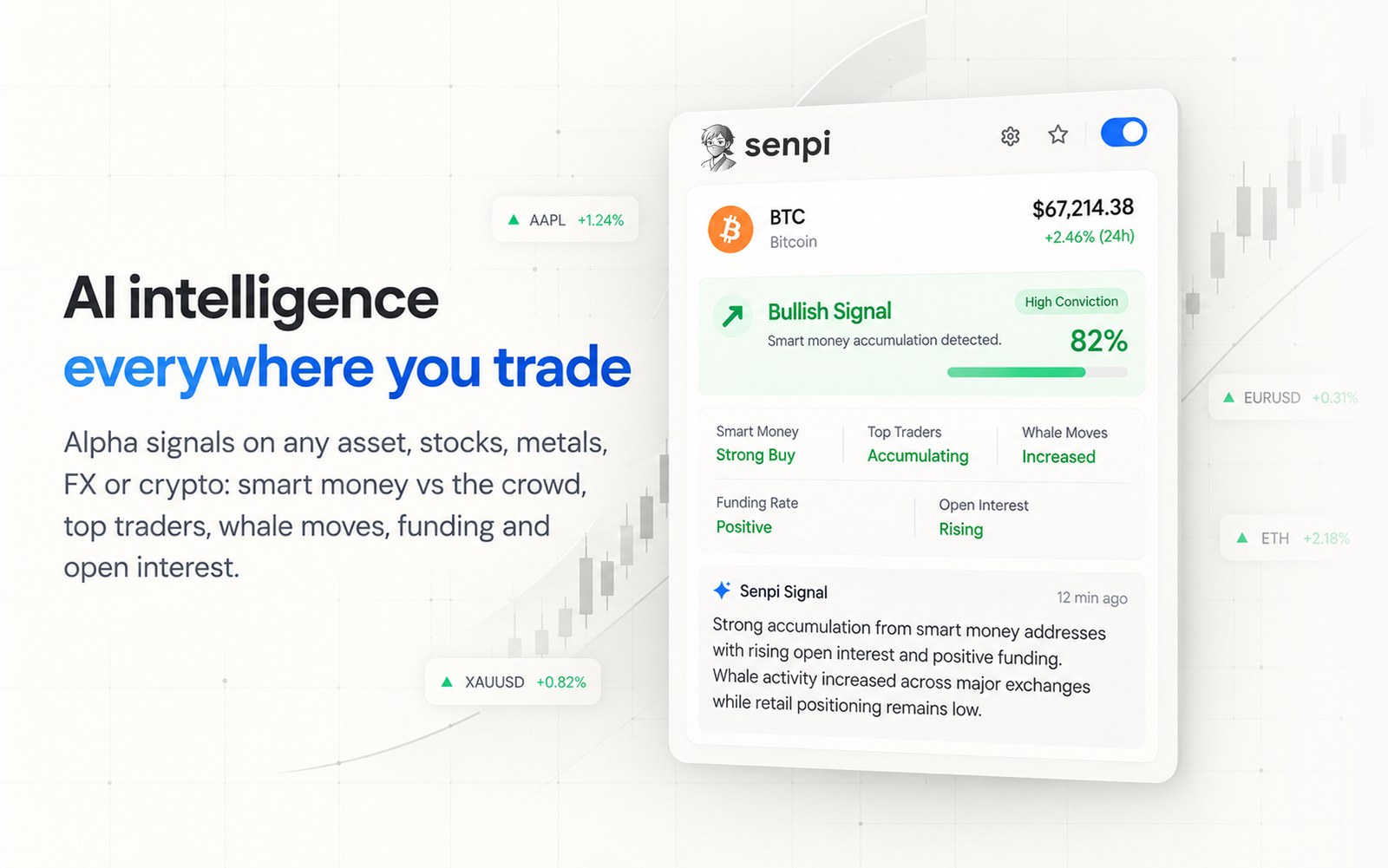
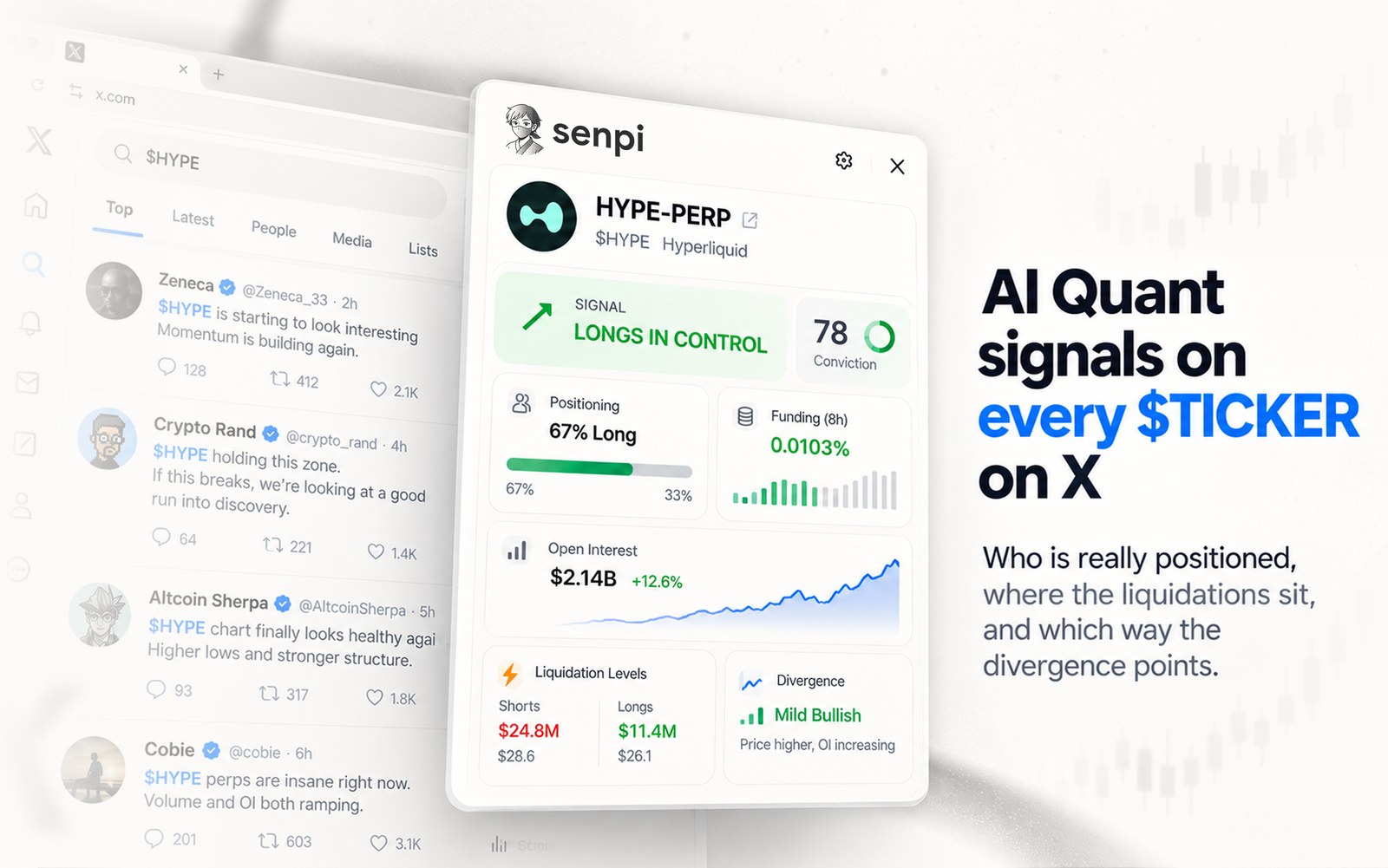
That is what the Companion does. Open any asset on a supported site and the Senpi read appears beside it: what smart money is doing, where it diverges from the crowd, what the top traders hold, how the move compares with BTC and the S&P 500. Open a $TICKER post on X and the same read sits next to the post, before you react to it. Open a wallet on Flowscan and you can run Quant Desk on it and see how good that trader really is.
What a read is
On every asset it reads, Senpi scans 7 days of price action, pulls top-trader positioning, verifies smart money alignment, captures whale movements, checks fresh entries, reads the 4h winners board, checks funding, open interest and liquidations, and compares the move with BTC and the S&P 500. Each read is scored and sourced.
No human can do that on every asset they look at, every time they look. Every wallet, every trade, the live book, smart money, whale movements, liquidation maps, in seconds. That is the part only AI can deliver, and it is the part we are putting on every chart.
It is not only crypto. Senpi trades every market Hyperliquid runs: US and international equities, stock indices, FX, precious and industrial metals, energy and agricultural commodities. The read works on all of them.
It is your agent, not a widget
The side panel is a window onto the same Senpi agent that runs your strategies, with every skill it has. You can ask it why a signal fired, what it would watch next, or to set something up. Replies stream live.
And the rule that has been true since day one still holds: you approve every action. When your agent wants to place or change a trade, you see the exact request and choose Allow once or Deny. Deposits and withdrawals stay in the Senpi app. The Companion reads only which asset or wallet is on the page, never the page itself, and you control which sites it can see from Chrome's own extensions menu.
Connectors plus Companion
Put the two launches together and the picture is simple. Your Senpi agent is in your AI apps, through Connectors. Your Senpi agent is on your charts, your feeds and your wallet pages, through the Companion. Wherever you are working, Senpi is there, with the same account, the same approvals and the same intelligence.
Senpi is your AI Quant Engineer. Two weeks ago it moved into your AI apps. Today it moves onto every page you trade from.
AI intelligence everywhere you trade.
How it works
The 50-second walkthrough shows all of it: install, pin and sign in, a read on X, an approval on Hyperliquid, and TradingView.
Install. Add it from the Chrome Web Store on Chrome 140 or later. Brave, Arc, Vivaldi and Opera install the same item. Pin the icon; clicking it opens the side panel.
Sign in with Senpi. The panel opens Senpi's own sign-in. Disconnect any time from the Connectors page in Senpi.
Open an asset. On a supported site the panel shows what it detected, for example "Detected on Hyperliquid: BTC-PERP", and runs the read: scored, sourced, with a conviction level.
Ask. The Chat tab talks to your own Senpi agent. "Why does Senpi Signals flag BTC here?" is a good first question.
Approve. When the agent wants to place or change a trade, you see the exact request. Allow once or Deny; nothing is placed otherwise.
Run Quant Desk on wallets. On the wallet explorers, the panel runs Quant Desk AI analysis of the wallet on the page.
The extension reads only which asset the page shows, or a wallet address after you confirm. Page text, URLs, cookies and history never leave your browser, and each site can be limited or turned off in Chrome's extensions menu.
Supported sites at launch
The Companion works on these 28 sites from day one. Open a page like the example and the Senpi read appears in the side panel.
Perps venues and exchanges
Site | Example page | Reads |
|---|---|---|
Hyperliquid | app.hyperliquid.xyz/trade/BTC, or a stock: app.hyperliquid.xyz/trade/xyz:NVDA | Assets and your connected wallet |
Binance | binance.com/en/futures/SOLUSDT | Assets |
Bybit | bybit.com/trade/usdt/HYPEUSDT | Assets |
OKX | okx.com/trade-swap/btc-usdt-swap | Assets |
Coinbase | coinbase.com/advanced-trade/spot/BTC-USD | Assets |
Bitget | bitget.com/futures/usdt/BTCUSDT | Assets |
Lighter | app.lighter.xyz/trade/ETH | Assets |
Variational | omni.variational.io/perpetual/BTC | Assets |
Aster | asterdex.com/en/trade/pro/futures/BTCUSDT | Assets |
Pacifica | app.pacifica.fi/trade/SOL | Assets |
Jupiter | jup.ag/perps/long/SOL | Assets |
Phantom | trade.phantom.com/perps/SOL | Assets |
Liquid | app.liquid.trade/trade/BTC | Assets |
Legend | app.legend.trade/trade/ETH | Assets |
Markets.xyz | markets.xyz/trade/hype | Assets |
Based | app.based.one/trade/xyz:TSLA | Assets and your connected wallet |
Tread.fi | app.tread.fi/terminal/BTC:PERP-USDC@Hyperliquid | Assets |
Axiom | axiom.trade/perpetuals | Assets |
Charts and market data
Site | Example page | Reads |
|---|---|---|
TradingView | tradingview.com/symbols/BINANCE-ETHUSDT | Assets |
CoinGecko | coingecko.com/en/coins/hyperliquid | Assets |
CoinMarketCap | coinmarketcap.com/currencies/ethereum | Assets |
DexScreener | Any token pair page on dexscreener.com | Assets |
CoinGlass | coinglass.com/currencies/BTC | Assets |
Wallet explorers
Site | Example page | Reads |
|---|---|---|
Hypurrscan | hypurrscan.io/address/0x… | Wallets |
Flowscan | flowscan.xyz/terminal?market=xyz:SP500, and wallet pages | Assets and wallets |
Hyperdash | hyperdash.com/asset/HYPE, and wallet pages | Assets and wallets |
HyperTracker | app.coinmarketman.com/hypertracker/wallet/0x… | Wallets and their positions |
Social
Site | Example page | Reads |
|---|---|---|
X | x.com/search?q=$HYPE, and any post with a $TICKER | The $TICKERs on the page |
Install the free Senpi extension from the Chrome Web Store. Every Senpi account starts with a free $10 Senpi AI trial, with up to $320 in free credits as you trade.
Senpi is not affiliated with, endorsed by or sponsored by the exchanges and sites it works with; their names are used only to describe compatibility. Trading involves risk. Senpi Signals are observations, not investment advice.